Introduction
Multi-Factor Authentication (MFA) provides an additional level of security for your account. Multi-Factor Authentication can be turned on for an entire business or at the individual user level. You will also need an authenticator app on your phone.
For instructions on how to turn MFA on for your entire business please see Business Settings
When you log into Class you will be prompted for:
- Your Class username and password, along with
- A code generated by an authenticator app
The second step provides additional security to verify your identity. Class strongly recommends that you enable Multi-Factor Authentication.
Prerequisites
- MFA is compulsory for users with a Class logon and who access https://app.class.com.au
- Must have a role of Access Controller, Administrator, Tax Agent, Feeds Admin, Adviser or Auditor
Important Information for Auditors
For specific activation details for Auditors, please click here
When you log in to Class if you haven't yet set up MFA you will be prompted to as soon as you log into Class. The following screen will display. Follow the setup instructions displayed on the page:
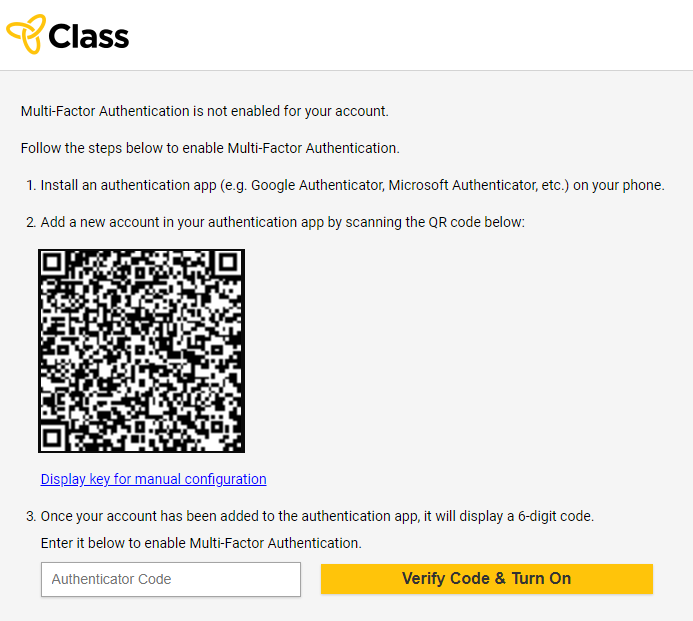
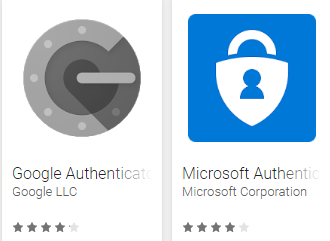
- Download and install an authenticator app onto your phone (e.g Google Authenticator, Microsoft Authenticator, etc.)
- Add a new account in your authenticator app and scan the QR code (You may also need to install a barcode scanner so you can scan the QR code).
- Enter the code displayed in the authenticator app into the box and click Verify Code and Turn On

Once the code has been verified, Multi-Factor Authentication will be successfully enabled on your account. The next time you log in to Class you will be asked to provide a verification code from the authenticator app.
You can use various different Authenticator apps such as:
- Microsoft Authenticator for Apple devices or Android devices
- Google Authenticator for Apple devices or Android devices
For instructions on how to set up a new user click here
Once multi-factor authentication has been enabled for your account, you will be asked to enter the code from the authenticator app after entering your username and password on login.
- Enter your username and password in the login page as usual
- Open your authenticator app on your mobile device and enter the code displayed to complete the login process.
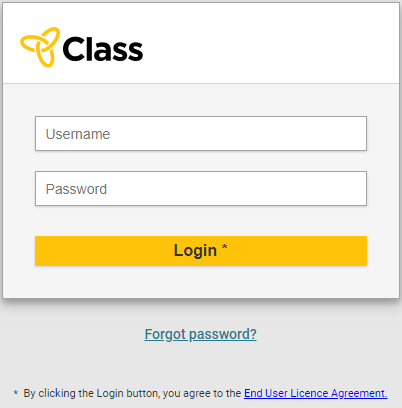
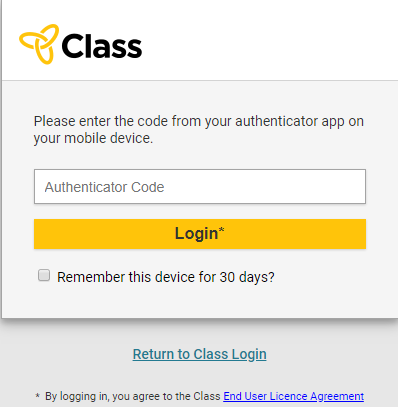
Note that if you don't enter an authentication code within two minutes you will be directed back to the main login screen to start again.
You can verify which users associated with your business have enabled multi-factor authentication.
- If you are an Access Controller, from the Business menu, navigate to the Maintain User screen
- On the Maintain User screen, you will see a column displaying the Multi-Factor Authentication state: Enabled or blank (not enabled)
This table can be exported and filtered according to the enablement status:

Should you change your mobile device and no longer have access to the configured authenticator app, you will need to reset MFA. If you have set up security questions you will be able to reset MFA yourself. If you haven't set up security questions please contact Class Support to reset your account and to allow you to re-enable Multi-Factor Authentication.
How to reset MFA yourself
After entering your Class logon details and clicking Login, the authenticator screen will open where you can enter your authenitcator code. Instead of entering the code click on Reset MFA as shown below:
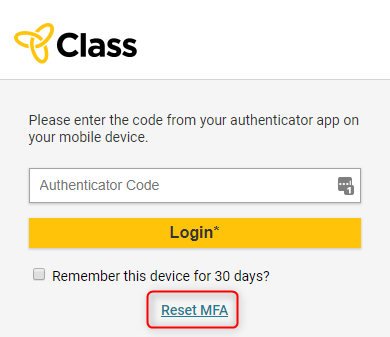
A screen will open where you will be prompted to answer two of the security questions you set up previously. Enter in the correct answers and click Submit.
The MFA setup screen will open as shown in 'Enabling multi-factor authentication' above. Please follow the steps on this screen to reset MFA. If you need further help please refer to 'Enabling multi-factor authentication' above.