Introduction
This page provides a step-by-step guide on how to adjust a foreign bank account’s book cost and foreign currency balance, once the fund has been initially transitioned onto Class.
Prerequisites
The foreign bank account should be set-up in Class as a foreign bank account. You can refer to the New bank account - foreign page for further information for setting up foreign bank accounts or changing pre-existing bank accounts to foreign.
Screen navigation
Go to Fund > Load Opening Balances from the list of menus at the top of the screen.
Steps for adjusting the opening balance of a foreign bank account
On the Holdings tab in Fund Opening Position screen click Edit Parcel History on the foreign bank account that you need to adjust the balance for as shown below:
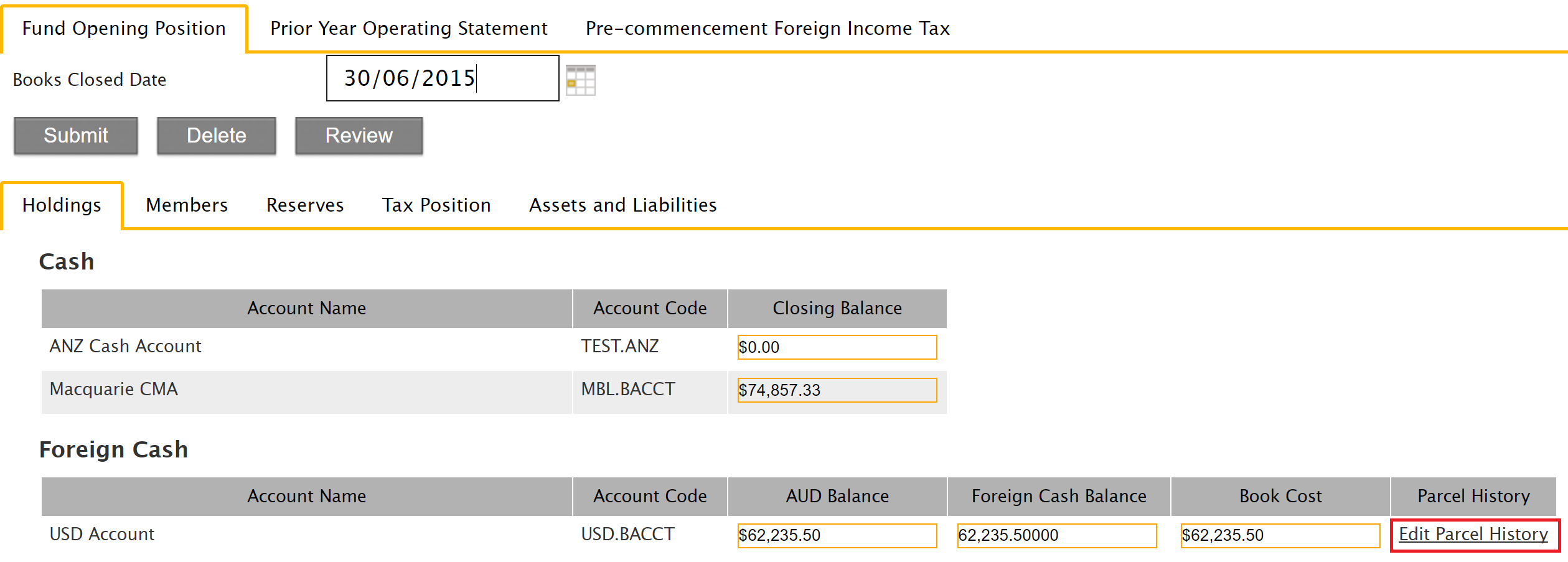
Foreign Cash account you wish to adjust and click the Edit Parcel History button, as shown in the screenshot below:
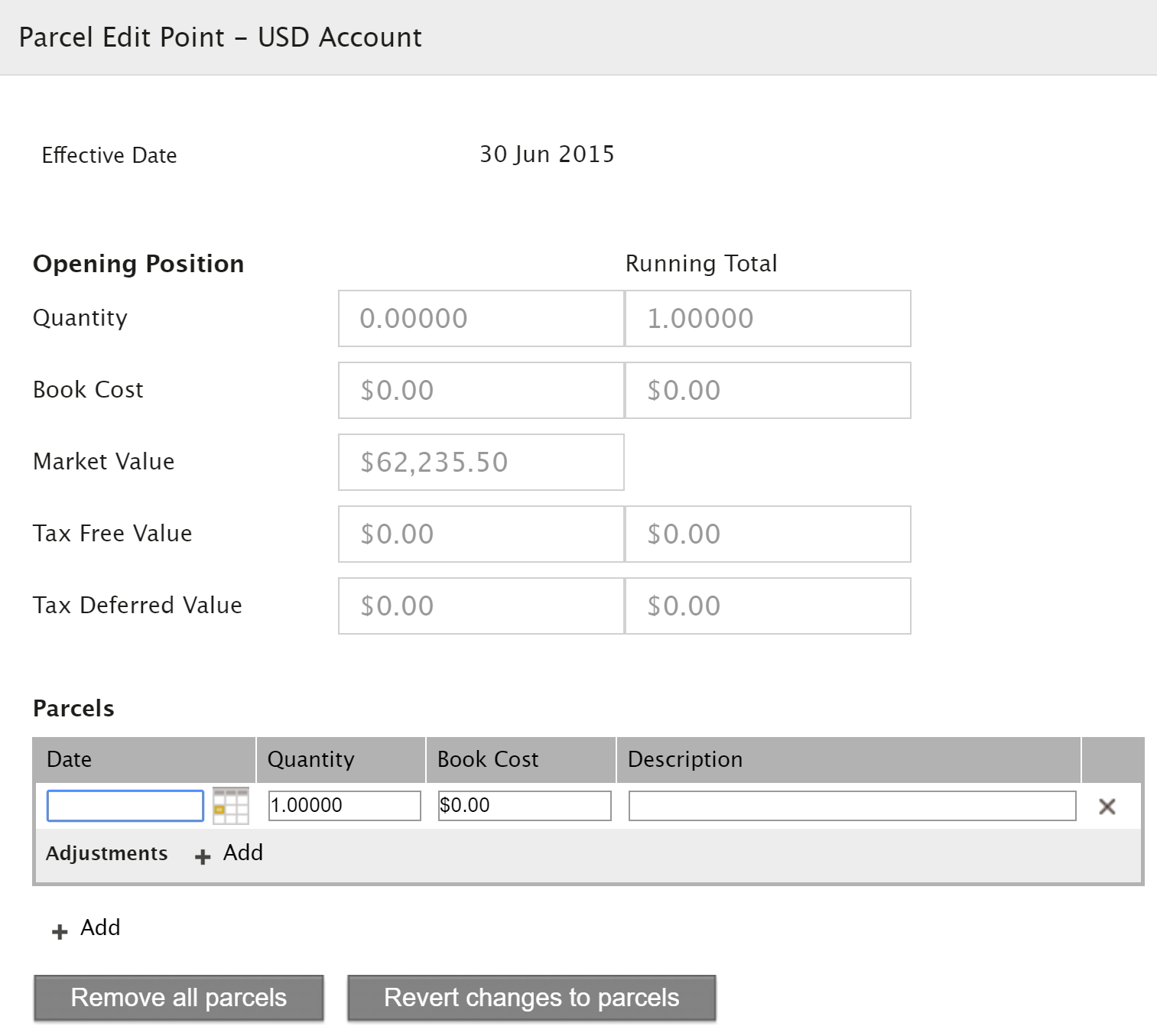
-
Enter information in the Parcels fields based on the foreign cash account details:
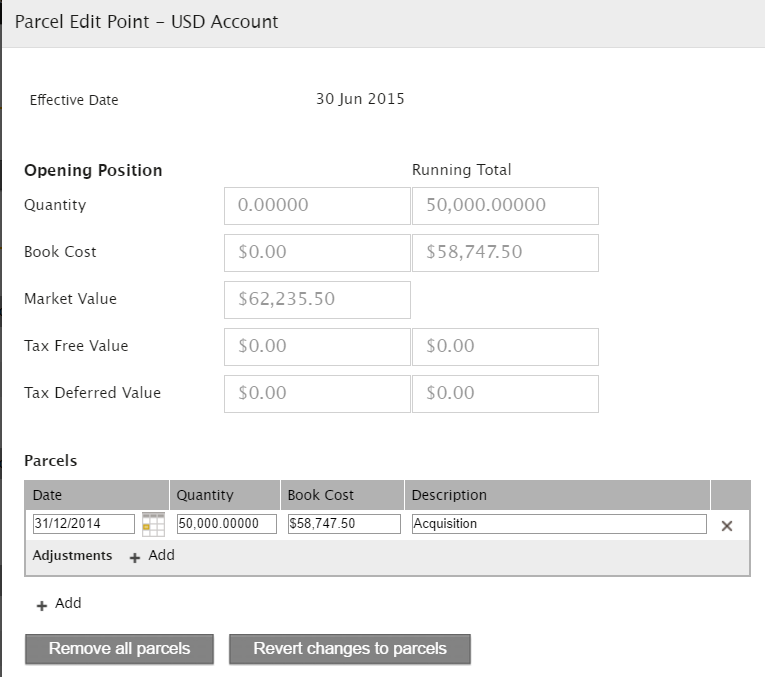
Click Save to save parcel details entered.The following is a screenshot showing the updated foreign cash opening balance based on the example information:
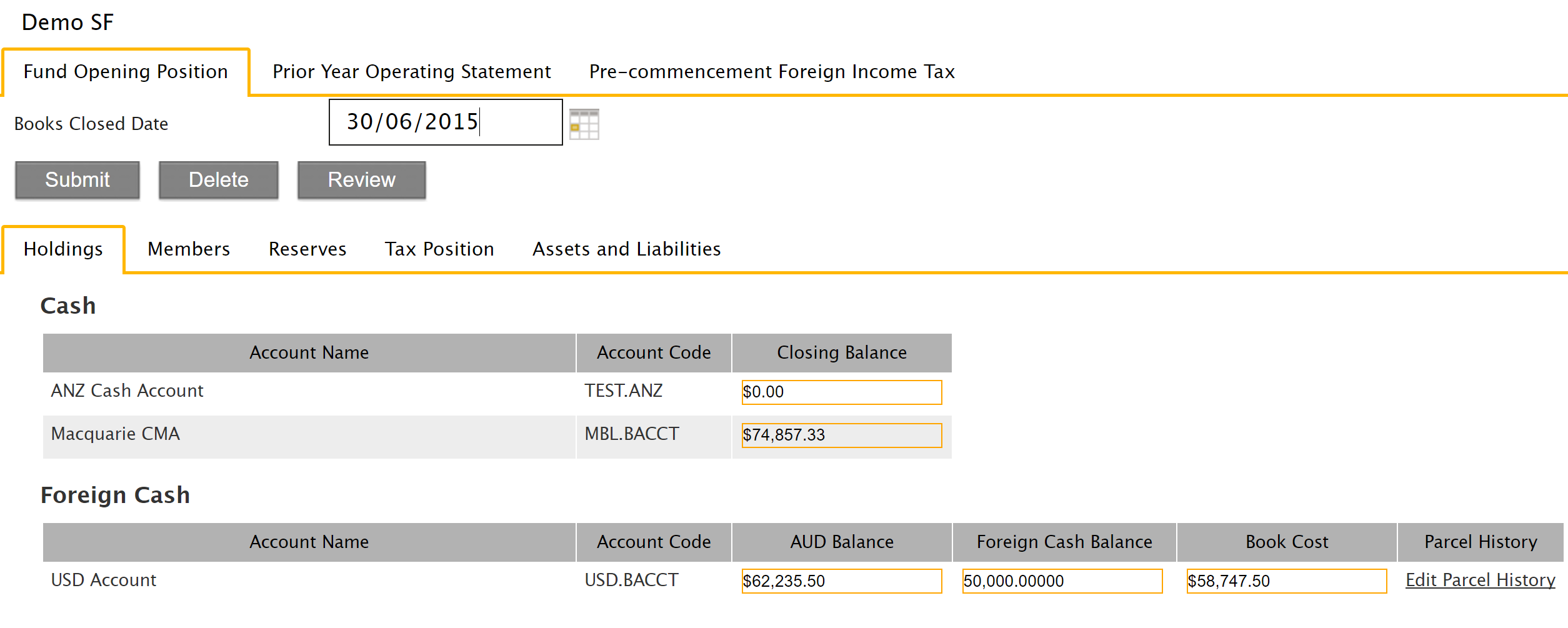
The AUD Balance displayed on the Fund Opening Position screen is the total Foreign Cash Balance translated into AUD amounts as at 30 June.